
What Is Building-Wide Access Control?
Building-wide access control is a networked system that decides who can open which door, and when, using electronic credentials instead of metal keys. Instead of one lock tied to one key, every controlled door — the front entrance, a parking gate, a package room, a rooftop amenity — reports back to a central system that an administrator manages, usually from a phone or browser.
That’s the core difference between this and the smart lock most homeowners already know. A smart lock like the ones on the market for a single apartment door replaces one key with an app or keypad. Building-wide access control does the same job across dozens or hundreds of doors at once, with a permission structure behind it: the super gets access to every door, a dog walker gets a time-limited code for the lobby and one unit, a resident’s fob works everywhere they’re supposed to be and nowhere else.
Why It Matters for Multi-Unit Buildings
Anyone who has lived in a prewar walk-up knows the ritual of re-keying after a lost key, or the awkward moment a departing tenant never returns their fob. In a single-family home, that’s a minor inconvenience. In a 40-unit building, unmanaged keys are a real liability — a board can’t easily prove who had access to the building on a given night, and cutting new keys for a lost one means the whole building’s locks are technically compromised.
Electronic access solves this by making every credential revocable. Lose a fob, and the building admin deactivates it in seconds rather than re-keying a lock. That’s especially relevant in older housing stock: brownstone-heavy pockets like Clinton Hill, Brooklyn still run largely on physical keys and buzzer systems installed decades ago, and boards there are increasingly fielding the same upgrade conversation — often alongside a broader look at apartment security camera systems in NYC to cover lobbies and package areas that a lock alone doesn’t monitor.
How It Works: From Key Cards to the Cloud
Credentials
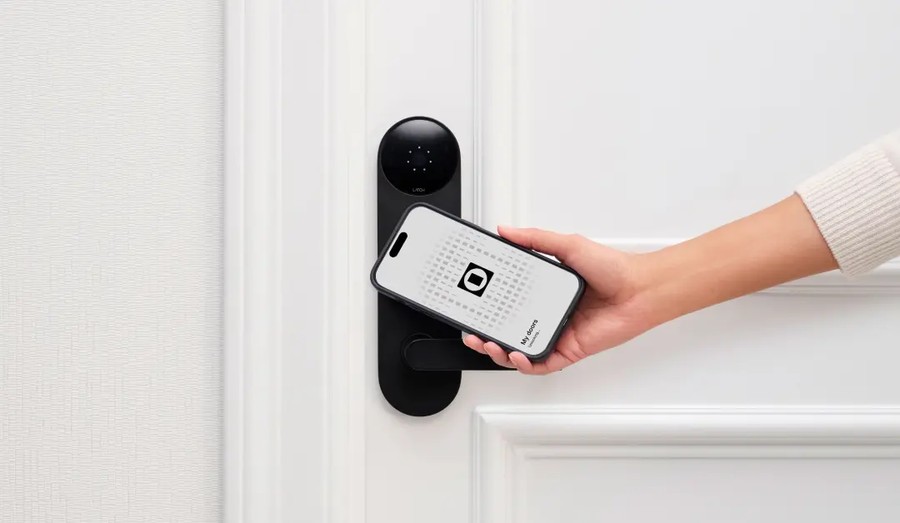
Most systems support a mix of RFID key cards or fobs (tap-to-enter), PIN codes, and increasingly, mobile credentials that turn a resident’s phone into the key. Boards often keep a physical fallback for elderly residents or during power or connectivity hiccups.
Cloud Management
The bigger shift in the last several years is management moving to the cloud. Instead of a proprietary keypad in a basement closet that only one vendor can service, cloud access control lets an administrator add or remove credentials, pull entry logs, and set schedules from a web dashboard — useful for a volunteer co-op board that doesn’t have in-house IT staff. This is the layer where residential buildings start to look more like small commercial properties: the same class of hardware — ZKTeco readers are a common example of a cloud access control company in NYC that installers use for exactly this kind of multi-door, cloud-managed setup — shows up in both apartment lobbies and small offices, because the underlying problem (who gets in, and when) is the same.
Integration
Modern systems typically tie into video intercoms and cameras, so a resident can see who’s buzzing before granting entry, and a board can pull footage tied to a specific access event rather than scrubbing through hours of unrelated video.
Practical Steps If Your Building Is Considering an Upgrade
- Inventory every controlled door — lobby, garage, side entrances, amenity spaces — before getting quotes, so the scope is clear from the start.
- Ask how credentials are revoked. If losing a fob still means calling a locksmith, it isn’t really an upgrade.
- Confirm a power-outage fallback. Doors should default to a safe, known state (usually unlocked for egress, per fire code) if the system loses power.
- Check integration with existing intercom or camera hardware rather than ripping out systems that already work.
- Get the data-retention policy in writing — how long entry logs are kept and who can access them.
Common Mistakes Homeowners and Boards Make
The most frequent misstep is treating access control like a single smart-lock purchase — buying hardware before mapping how many doors and users actually need to be covered, which leads to a system that can’t scale past the pilot door. A close second is skipping the conversation about entry logs and privacy; residents should know what’s recorded and for how long before installation, not after. Boards also sometimes choose a system with no local fallback, meaning a Wi-Fi outage locks everyone out — always confirm offline behavior before signing off.
Personal Smart Lock vs. Building-Wide Access Control
| Feature | Personal Smart Lock | Building-Wide Access Control |
|---|---|---|
| Doors covered | One | Many, centrally managed |
| Who manages it | The resident | Building admin or board |
| Credential types | App, keypad code | Fob, card, PIN, mobile |
| Revoking lost access | Re-key or reset lock | Deactivate credential instantly |
| Entry logging | Sometimes, per-device app | Centralized log across all doors |
| Typical setting | Single-family home, one unit | Co-ops, condos, multi-family buildings |
FAQ
Does building-wide access control replace my apartment’s own lock? No. It typically governs shared entry points — lobby, garage, amenities — while each resident’s unit door keeps its own separate lock, smart or traditional.
Can a co-op board install this without rewiring the whole building? Often yes. Many systems use existing intercom wiring or wireless readers, so scope depends on the building’s current infrastructure, not always a full rewire.
What happens to access control during a power outage? Code-compliant systems fail to an unlocked state for exits so residents can leave safely, while re-entry may require a battery-backed reader or manual key.
Is cloud-managed access control secure from hacking? Reputable systems encrypt credential data and use permission tiers, but boards should still ask vendors directly about their specific security practices before installing.
How is this different from a video doorbell? A video doorbell shows who’s at one door; access control manages permissions and unlocking across every controlled door in the building.
Conclusion
The personal smart lock trend has made residents comfortable with electronic entry — but managing that across an entire building is a different problem, one that’s really about permissions and accountability, not just convenience. Whether your building is a five-unit brownstone or a full high-rise, the same questions apply: how many doors, who manages the credentials, and what happens when the power goes out. Boards that start there tend to end up with systems that actually get used, instead of another box in the lobby closet nobody remembers how to operate.
